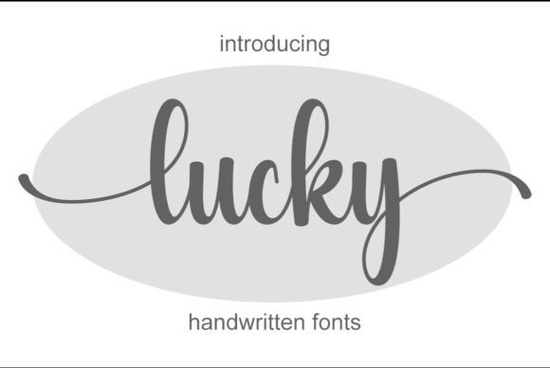
If you’ve been searching for a handwritten font that feels personal but still polished, Lucky Font might be exactly what your next project needs. It’s light on the eyes, full of character, and surprisingly versatile whether you’re designing wedding invites, branding materials, or social media graphics. The strokes feel natural, like they were just pulled from someone’s journal, but with enough refinement to work in professional settings too.
One thing that makes this font especially handy is its PUA encoding. That means all the special glyphs and alternate characters are easy to access without jumping through hoops in design software. If you’ve ever struggled to find swashes or stylistic alternates buried in font menus, you’ll appreciate how smoothly Lucky behaves in Illustrator, Canva, Silhouette Studio, or even Word.
What kinds of projects does Lucky Font work best for?
Because of its delicate balance between casual and elegant, Lucky fits naturally into a wide range of creative uses:
- Branding & logos – Especially for boutiques, bakeries, florists, or wellness brands that want to feel approachable but still refined.
- Social media posts – Quotes, announcements, or product highlights that need a human touch.
- Printables & invitations – Wedding suites, baby showers, or holiday cards where warmth matters more than formality.
- Product packaging & labels – Great for small-batch goods, candles, skincare, or artisanal foods.
- Merch designs – Think t-shirts, mugs, tote bags anywhere you want text that feels handwritten but still legible.
If you like the vibe of Lucky but want to explore similar styles, you might also enjoy browsing casual handwriting fonts or checking out Randy Sofia for something slightly bolder. For a playful twist, Rainbow adds color-ready layers, while Winky Swing leans into bounce and whimsy. And if you prefer structured elegance, Quincy offers clean, flowing lines with minimal fuss.
How do I install and use Lucky Font?
Once you download the files from Creative Fabrica (usually OTF or TTF formats), installation is straightforward:
- Unzip the folder.
- Double-click the font file and click “Install” (on Windows) or drag it into Font Book (on Mac).
- Restart your design app if needed, then select “Lucky” from your font menu.
To access alternates or ligatures, open your Glyphs panel (in Illustrator or InDesign) or use the Character Map tool on your system. Some apps like Canva don’t support advanced OpenType features, so keep that in mind if you’re relying heavily on stylistic variations.
Is Lucky Font good for commercial use?
Yes when you download Lucky Font through Creative Fabrica, you get a commercial license included. That means you can use it on client projects, POD platforms like Etsy or Redbubble, or even branded merchandise without worrying about extra fees or legal fine print. Just make sure you’re not redistributing the font file itself as part of a digital product.
Who should avoid this font?
Lucky isn’t the right pick if you need something ultra-bold, highly geometric, or strictly formal. It’s also not ideal for body text in long documents save it for headlines, accents, or short phrases where personality shines. If your brand voice is corporate, tech-heavy, or minimalist, you might want to pair Lucky with a clean sans-serif rather than using it alone.
That said, if your goal is to add warmth, charm, or a handmade feel without sacrificing readability, Lucky delivers. It’s one of those fonts that looks effortless which is exactly why clients and customers respond to it.
Quick checklist before you start using Lucky Font
- Test it at different sizes Make sure the thin strokes stay visible, especially in smaller formats like business cards or stickers.
- Pair it thoughtfully Try combining it with a simple sans-serif (like Montserrat or Lato) for contrast and clarity.
- Use alternates sparingly A few swashes or flourishes go a long way. Too many can look cluttered.
- Check your background Light-colored text on dark backgrounds may need slight stroke adjustments for legibility.
- Save often Especially if experimenting with glyph substitutions some apps don’t auto-save those changes.
Whether you’re a seasoned designer or just starting out with print-on-demand or handmade goods, Lucky Font gives you a graceful, flexible tool that doesn’t require advanced skills to use well. Sometimes the simplest fonts the ones that feel like they were made by hand end up being the most effective.
Learn More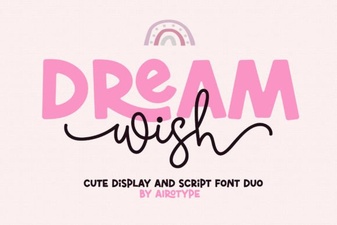 Dream Wish Font: a Creative Typography Toolkit
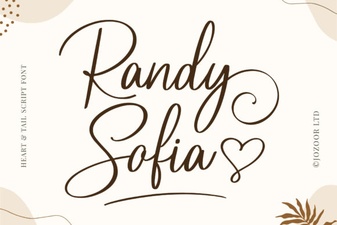 Randy Sofia Font for Creative Projects
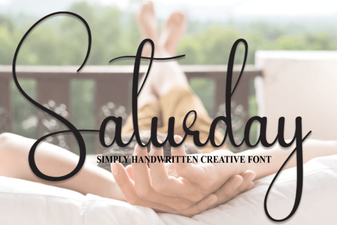 Saturday Font Designs for Your Creative Projects
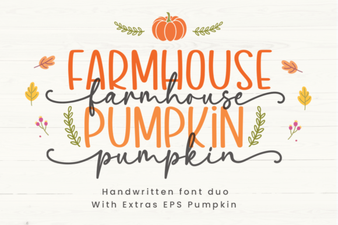 Farmhouse Pumpkin Fonts for Fall Projects & Designs
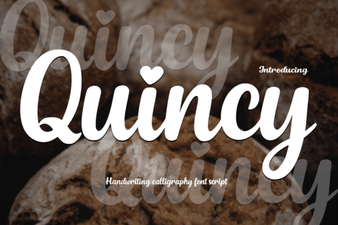 Quincy Font: Modern Design for Creative Projects
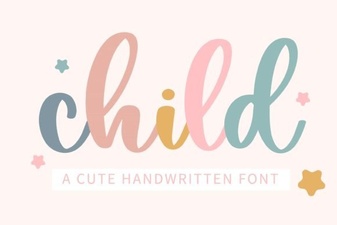 Creative Typography for Kids' Projects